Shot Daily · 05
Directing dramatic tension: keep two-handers from flattening into static shots
When directing vertical romance, contract reversals, or suspense standoffs, the most frustrating failure is not an API error — it is writing an intense confrontation and getting back two characters smiling politely two meters apart. This guide breaks down how three tiers of 2026 AI video tools treat your prompt, how to replace vague mood adjectives with physical blocking verbs, and how to debug takes frame by frame.
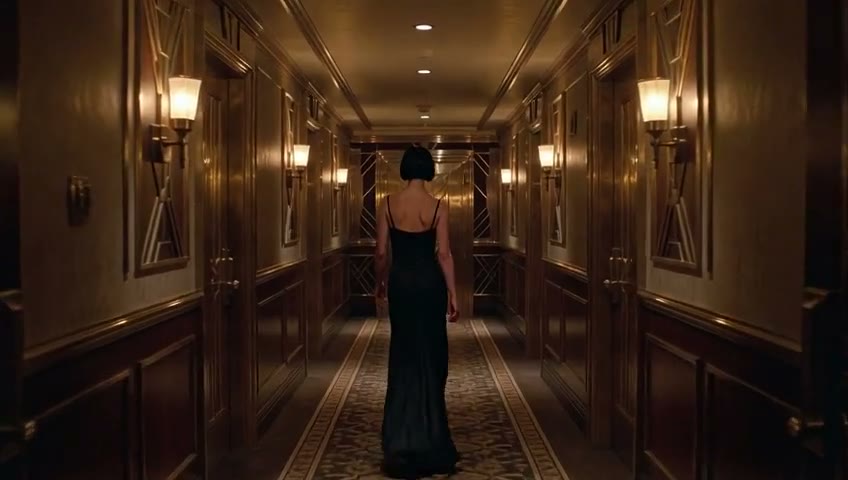
Why dramatic prompts fold into bland standing shots
In AI short-drama production, prompt fidelity determines whether your blocking actually reaches the screen. When a tense standoff comes back flat, one of two things happened: either an upstream prompt rewriter smoothed out the conflict into polite small talk, or your prompt relied on abstract adjectives (“intense chemistry,” “cinematic angst”) with zero physical verbs.
A dependable drama workshop needs both high prompt fidelity for legitimate dramatic tension and clear creative guardrails: original fictional characters or licensed assets only, with strict server-side blocks against minor-related content and unauthorized real-person likenesses (see Terms).
- Prompt fidelity: dramatic standoffs and emotional beats are dispatched faithfully without silent dilution
- Verb-driven blocking: specify spatial distance, gaze lock, and hand gestures instead of mood buzzwords
- Clean boundaries: fictional characters and authorized assets only
Three tiers of AI video tools in 2026
First, self-hosted open weights. Running models on your own GPUs gives total pipeline control at the cost of VRAM engineering and slow iteration — see our measured benchmarks for H3 on RTX 5090 and MAGI-2 multi-GPU.
Second, high-fidelity hosted drama workshops such as Huangguo Design (powered by Grok Imagine workflows). You skip GPU ops, get direct prompt execution across Text, Image, Consistent Character (`r2v`), Edit, and Storyboard (`board`), and stay nimble when upstream APIs shift as documented in our Sora API migration guide.
Third, heavily rewritten general-purpose platforms. Great for wide architectural establishing shots or clean concept stills, though aggressive prompt rewriting can soften intense dramatic confrontations.
Compare pricing transparency, onboarding friction, and prompt fidelity across seven options on our 2026 AI video tool guide.
- Local open weights: full control, high hardware and tuning overhead
- High-fidelity hosted studio: direct blocking control plus r2v/board workflows
- General-purpose rewritten APIs: best reserved for B-roll and establishing exteriors
How to write tension: proximity, one micro-gesture, one slow push
Screen tension comes from compressed distance + one restrained physical verb + a locked-axis 35mm slow push-in, structured cleanly in five fields.
Name two contrasting fictional leads in Identity; light the room with a single rim/key source (such as a warm floor lamp at night) in Place; put one concrete gesture in Action (stopping half a step away and tucking hair behind an ear, or resting a hand on a contract); lock a slow medium-to-close push in Camera; request quiet room tone and breath in Sound.
- Identity: two original fictional leads with distinct hair and fabric tokens
- Place: single motivated key light (floor lamp, wall sconce, rain-lit window)
- Action: half-step proximity + one physical beat
- Camera: locked-axis 35mm slow push-in over 8 seconds, zero cuts
- Sound: room tone and breathing only, no music, no captions
Flattens into generic smiling
Two leads in a luxury suite with explosive chemistry, unforgettable tension, ultra cinematic 4K.
Inspectable dramatic beat
Late-night lounge, single warm floor lamp. Black-velvet lead on sofa arm; dark-jacket lead stops half a step away and tucks hair behind her ear, eyes locked. 35mm slow push, 8s, breath only.
Two original fictional urban leads in a late-night high-rise lounge lit by a single warm floor lamp casting soft rim light. She perches on the sofa arm in a black velvet dress; he stops half a step in front of her in a dark tailored jacket and gently tucks a loose strand of hair behind her ear while their eyes stay locked and breathing is visible. Locked-axis 35mm lens pushing in very slowly from medium to close-up, 8 seconds, one continuous shot. Room tone and quiet breath only — no score, no captions, no cuts.
Four-step post-generation diagnosis
Scrub the take asking first whether the physical gesture occurred. If the hand never moved, trim the clip to 4 seconds with that single verb to verify phrasing before scaling back to 8 seconds.
Every clip on our verified examples page publishes its request ID, SHA-256 hash, and frame-level notes so you can benchmark real output boundaries.
- Gesture check: did half-step proximity and the single hand beat happen cleanly
- Identity check: did facial geometry and dress fabric hold through the push-in
- Camera check: one continuous push without unrequested cuts or text overlays
- Audio check: clean room tone ready for dialogue dubbing
Open Studio access & free trial workflow
Anyone can open Studio directly — no invite code required — to explore all five modes or customize prompts in the Quick Studio Builder below. Sign in when dispatching a generation to use your free trial quota (enough to run a complete 3-shot storyboard), with outputs stored privately in your Library.
Next lesson
Ready to move the camera across multiple cuts? Continue to Shot Daily 06 for four high-stability camera templates and Shot Daily 07 for 10-episode character continuity.
FAQ
FAQ
Is Huangguo Design a streaming app or a production studio?
Huangguo Design is an AI short-drama and storyboard production studio for creators. To watch finished vertical AI short-drama series, visit Huangguo Drama (huangguodrama.ai).
Why did my high-drama prompt turn into two people standing far apart?
Abstract emotional adjectives give video models no spatial target. Specify exact proximity (half a step apart), one concrete hand/eye verb, and a 35mm slow push-in.
What genres and creative rules apply in Studio?
Studio supports urban romance, werewolf/contract hooks, period drama, suspense, and sci-fi action using original fictional characters or licensed assets. Minor-related content and unauthorized real-person likenesses are strictly prohibited.
Do I need an invite code to try Studio?
No invite code is needed. Browse Studio and presets freely, then sign in to run your free trial generations and upgrade your account quota whenever needed.
ZERO-LOGIN · QUICK PROMPT & CAMERA PRESET BUILDER
Pick a drama scene archetype and camera move, then open directly in Studio
Skip the blank prompt box. Combine a short-drama scene archetype with one inspectable camera move, tweak the five-field prompt, and launch straight into the matching Studio mode.
1. Scene Archetype (auto-selects Studio mode)
2. Camera Move Preset (one single move per shot)
Watch Live AI Short Dramas on huangguodrama.ai & reelshorts.app
Clicking Open in Studio pre-fills both the generation mode and prompt.
Tonight
Test this 8-second slow push-in in Studio
Open Studio freely to browse modes and presets, then sign in when you are ready to run your free trial generations.