Shot Daily · 01
Shoot one inspectable scene before you chase a whole episode
Short-drama clips fail when the brief is “give me a whole movie.” A full episode means multiple angles, consistent faces, matching wardrobe, and sound that cuts together. Current models will not hand you that in one pass — they hand you 4–15 seconds you can scrub frame by frame. If you cannot inspect it, it is not a finished shot.
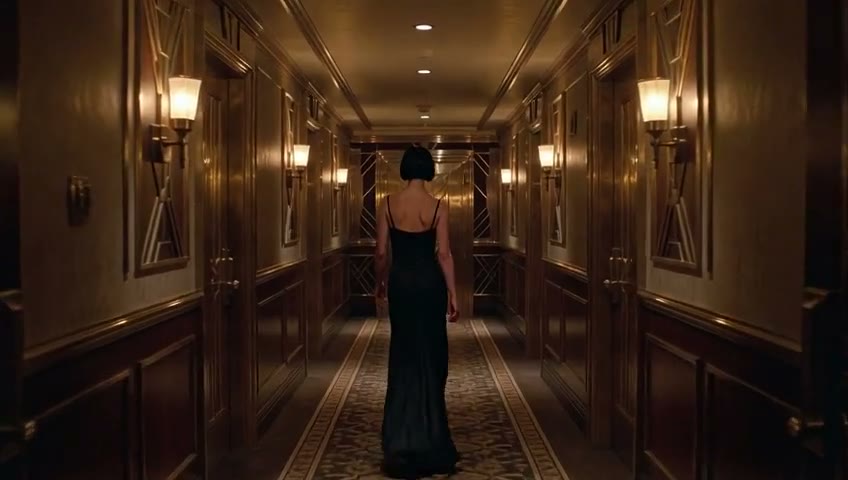
How to use Shot Daily
This is not a hype leaderboard and not a random prompt dump. Each Shot Daily note leaves you one concrete workflow you can test in the studio tonight. Chinese, English, and Japanese cover the same lesson written natively for each language.
The ground rules stay strict: one good take is not a guaranteed capability, and we never pass off another model's demo reel as our output. Use fictional characters or assets you hold rights to; minor-related content and unauthorized real-person likenesses are strictly prohibited.
Today's core rule: if you cannot inspect it, it is not a shot
“Dramatic” and “cinematic” are not acceptance criteria. They do not tell you whether the next step is tightening the verb, locking a first frame, or switching to character reference. An inspectable scene defines its pass/fail checklist before you press generate.
Collapse the episode into one scene: one room, one key light, one primary action beat, one camera trajectory, and one short duration (6–8 seconds). When the MP4 lands, scrub every second.
- Did the character's facial geometry stay consistent from second 1 to second 8?
- Did the primary dramatic gesture actually happen, or flatten into static standing?
- Did wardrobe, room props, or key light swap mid-shot?
- Did the lens execute the single move you asked for without unrequested cuts or captions?
- Is the audio clean room tone and breathing rather than random stock music?
Five fields, not a short story
Write prompts in five explicit slots. Do not pile up vague adjectives hoping for “cinema.” Direct blocking with physical verbs: who turns toward whom, where the hand rests, where the gaze settles. Video models execute verbs, not mood boards.
Identity states headcount, fictional character traits, hair, and wardrobe. Place sets one location and one key light. Action names one primary beat. Camera picks one trajectory. Sound asks for clean room tone with no score and no on-screen text.
- Identity: fictional characters; hair, wardrobe, build, headcount
- Place: one room, one key light (warm suite + dusk window light)
- Action: one physical gesture written on the body and gaze
- Camera: push, pan, lock-off, or track — pick one, never stack cuts
- Sound: breath, cloth rustle, footsteps; no music, no captions
Hard to inspect
Make an emotional luxury short-drama confrontation, super cinematic, 4K masterpiece, intense tension.
Inspectable
All five fields are explicit. When the clip finishes, you can check faces, hands, camera push, and whether the wrist-hold happened cleanly.
Two fictional urban leads sit side by side in warm dusk window light. One finally offers a quiet apology; the other listens until the end and gently holds her wrist. Keep wardrobe consistent. Frame faces and hands with one continuous 35mm slow push, natural room tone, and quiet breathing. Build dramatic tension through eye contact, distance, and pauses with no score and no captions.
How to review the generated file
Never judge by frame one alone. In our archived character-reference sample, the gold-dress lead holds identity across 4 seconds while still showing slight facial and pose drift — a measured observation, not marketing spin. Grade your own takes the same way.
- Scrub first frame to last: did facial structure drift?
- Check hands, fingers, and shoulders during motion
- Verify the action beat: if both actors just stand still, sharpen the verb or shorten duration
- Confirm wardrobe collar and room lighting match the opening frame
- Compare requested duration/aspect against the actual file
- On failure, simplify the beat, lock a first frame (i2v), or anchor with r2v instead of writing longer prose
Pick the right Studio mode first
The five Studio modes represent five distinct input contracts, not cosmetic filters. For multi-shot identity, start with Consistent Character. When you already have a strong keyframe, use Image to Video. For multi-beat sequences, use AI Storyboard while still checking each clip individually. Compare platforms on our AI video tool guide or review Sora API migration options.
- Idea only, no still yet: Text to Video (t2v), 6–8 seconds
- Approved keyframe ready: Image to Video (i2v), prompt motion only
- Same actor across angles: Character Reference (r2v), 4–8 seconds with one clean sheet
- Existing clip needing relighting: Video Edit (edit), stating both change and invariants
- Multi-shot sequence: Storyboard (board), generating shot by shot before ffmpeg concat
Creative boundaries up front
All workflows are built for original fictional characters and properly licensed materials. Minor-related depictions and unauthorized real-person likeness synthesis are strictly blocked.
Keeping character sheets synthetic and rights-clean ensures every clip you produce is safe to edit and distribute.
Next lesson
Lesson 1 establishes what makes a shot inspectable. Lesson 2 tackles facial drift: how to choose one clean reference still, which words to repeat verbatim, and why 4 seconds beats 15 for testing.
Run the scene above first and scrub the output end to end.
FAQ
FAQ
Why not prompt an entire 60-second short drama in one go?
Video models generate short continuous windows. Full episodes require shot changes, consistent faces, and clean audio cuts. Nail one 4–8s shot first, then assemble sequences in Storyboard mode.
Why did my dramatic prompt turn into two people standing still?
Abstract mood words give the model nothing concrete to animate. Replace adjectives with one physical verb (such as gently holding a wrist or turning toward the lens) over 6–8 seconds.
Does text-to-video keep the same actor across shots?
No. Text-to-video has no visual identity lock. Switch to Character Reference (r2v) with a clean portrait sheet whenever multi-shot continuity matters.
Can I upload a real actor's photo?
Only when you hold explicit authorization for that person's likeness. Default to original fictional character sheets; minor-related imagery and unauthorized likenesses are prohibited.
How is Shot Daily structured?
Each lesson isolates one studio skill across Chinese, English, and Japanese — progressing from single-shot inspection and face locking to two-person blocking, localization, camera moves, and multi-episode continuity.
ZERO-LOGIN · QUICK PROMPT & CAMERA PRESET BUILDER
Pick a drama scene archetype and camera move, then open directly in Studio
Skip the blank prompt box. Combine a short-drama scene archetype with one inspectable camera move, tweak the five-field prompt, and launch straight into the matching Studio mode.
1. Scene Archetype (auto-selects Studio mode)
2. Camera Move Preset (one single move per shot)
Watch Live AI Short Dramas on huangguodrama.ai & reelshorts.app
Clicking Open in Studio pre-fills both the generation mode and prompt.
Tonight
Shoot this scene tonight
Open text-to-video, paste the five-field prompt, generate 6–8 seconds, and scrub the whole file before planning Shot 2.